Adding External Content to Your Forum
Outside the Forum
1. Log in to the INSIGHTS Specialties
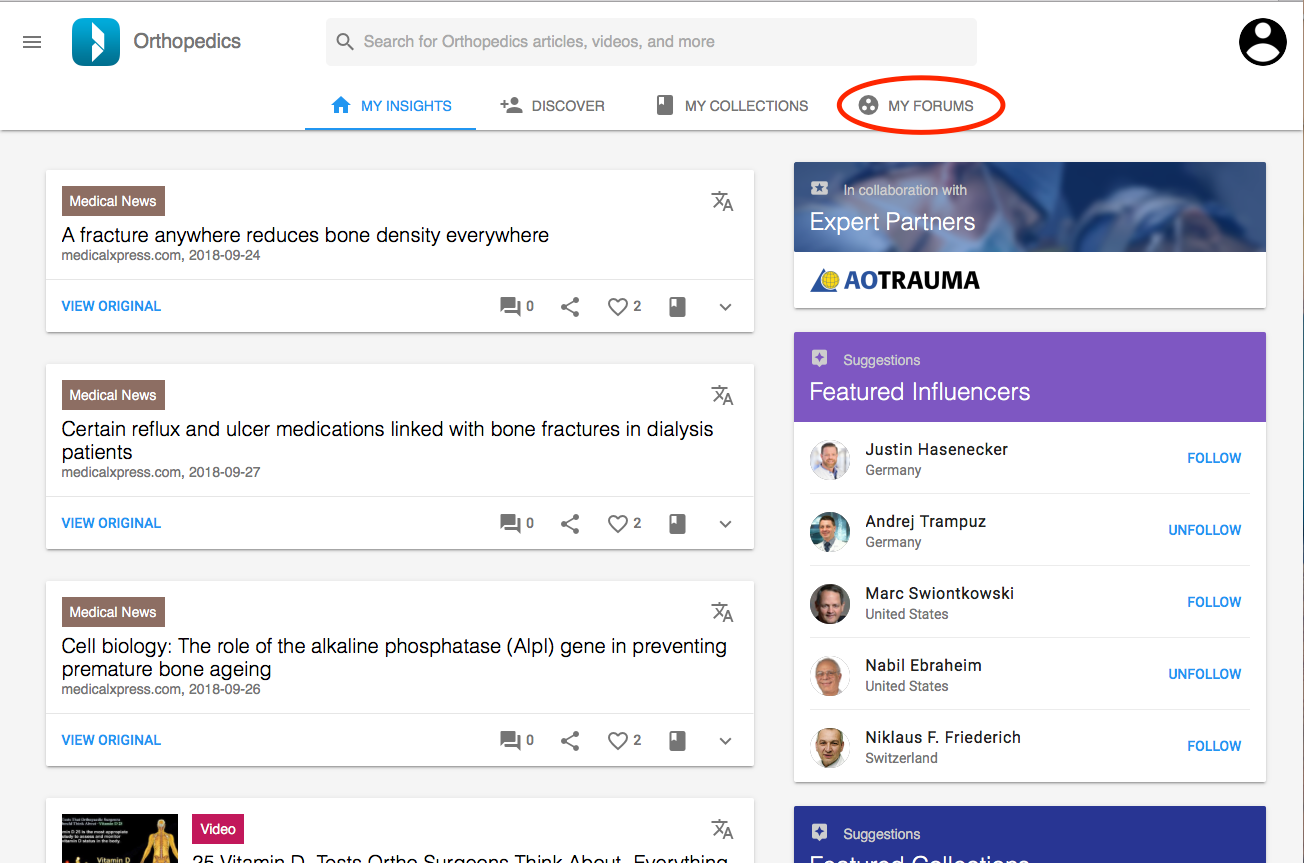
2. Go to “My Forums”
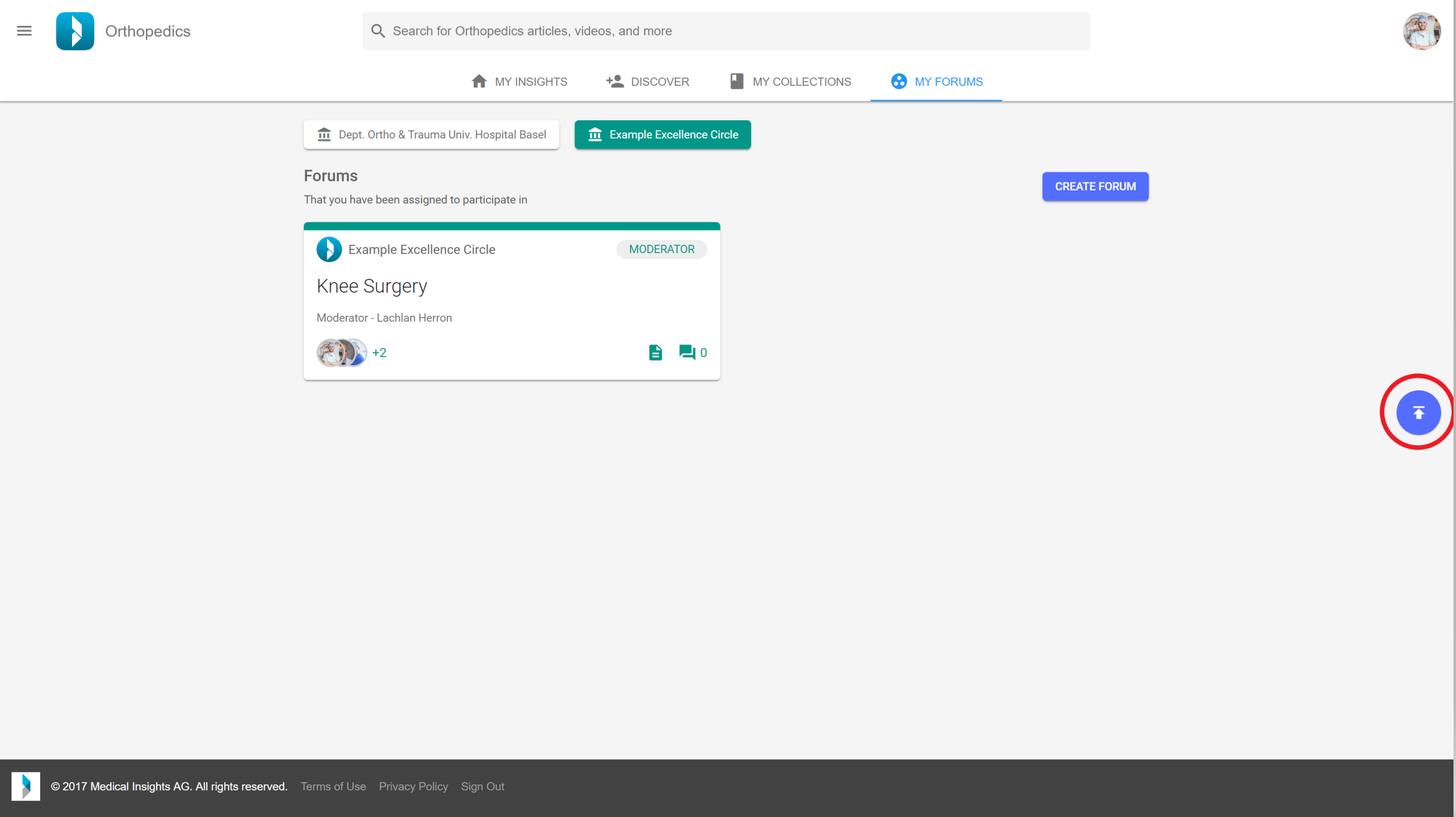
3. Click on the floating button in the lower right corner.
4. Complete the required Information:
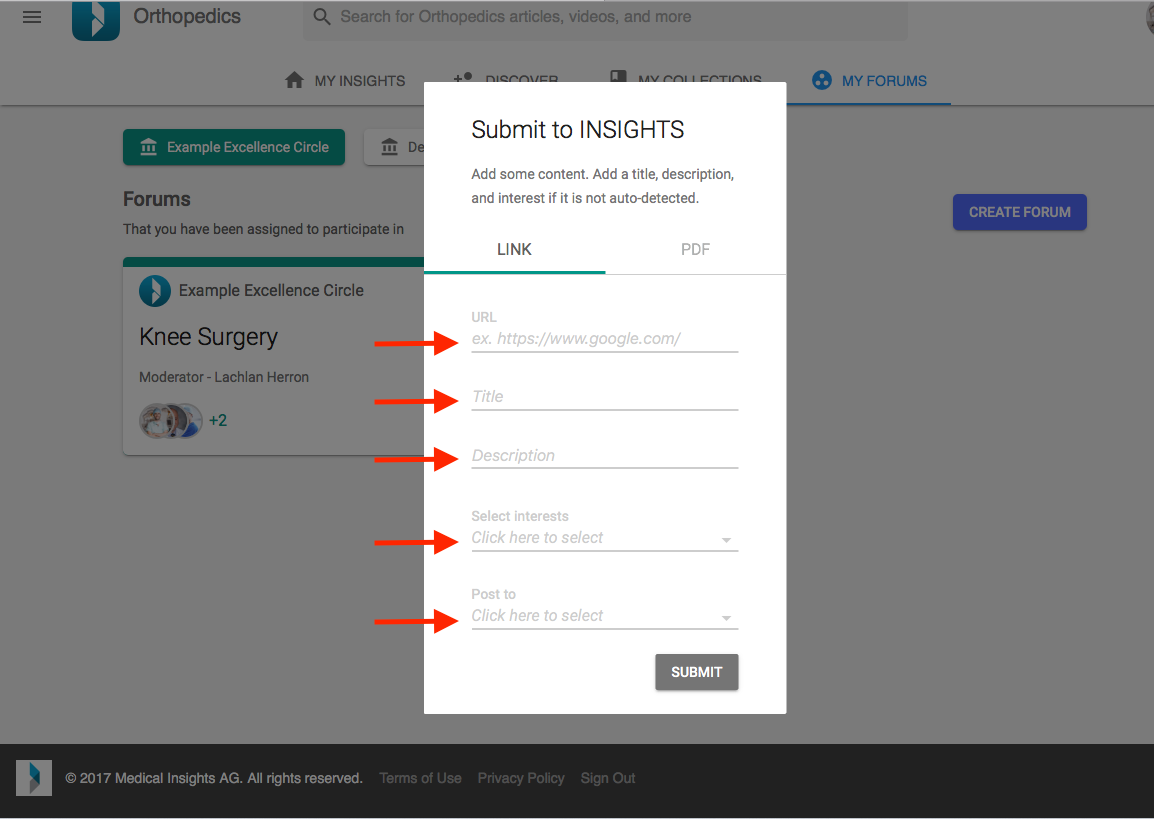
- Copy and paste the URL of the content into the URL field
- Enter a title if it is not auto-detected
- Enter a description if it is not auto-detected
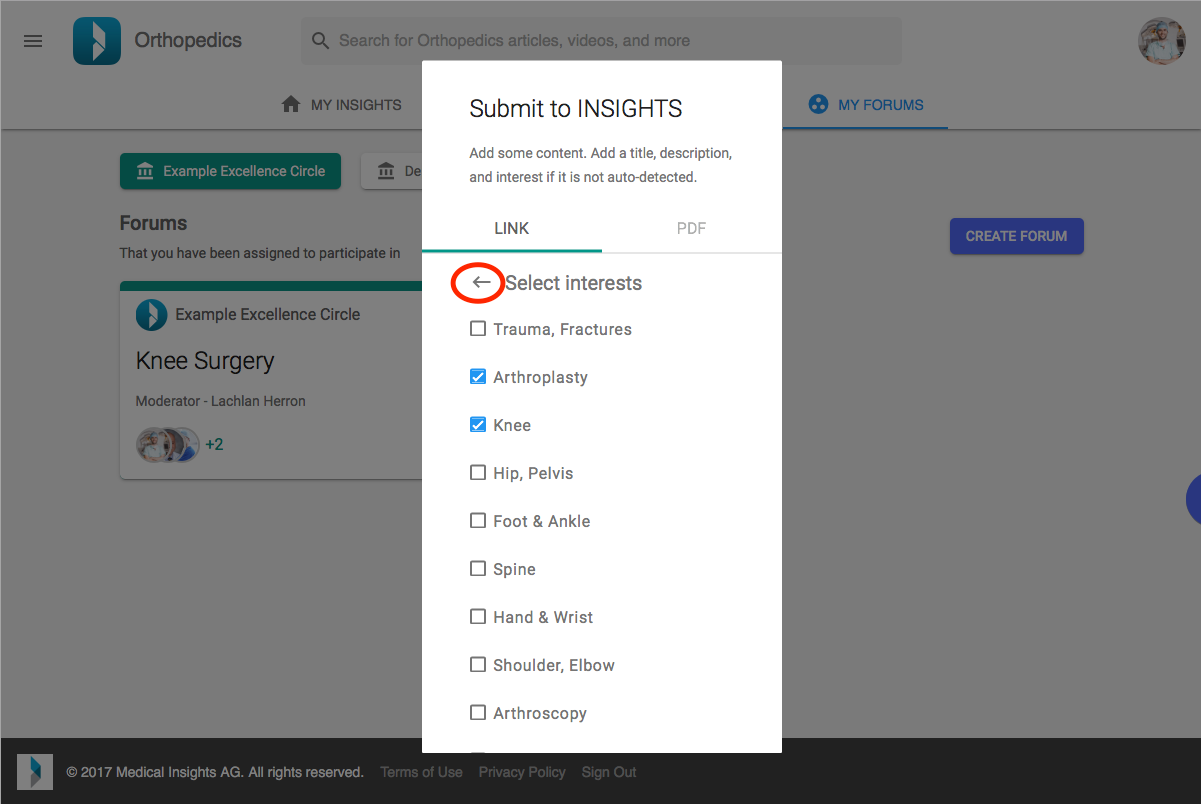
- Select the interest(s) that the content relates to:
Note: You can select multiple interests. To deselect a chosen interest, click it twice. Save the selected interests by clicking the back arrow
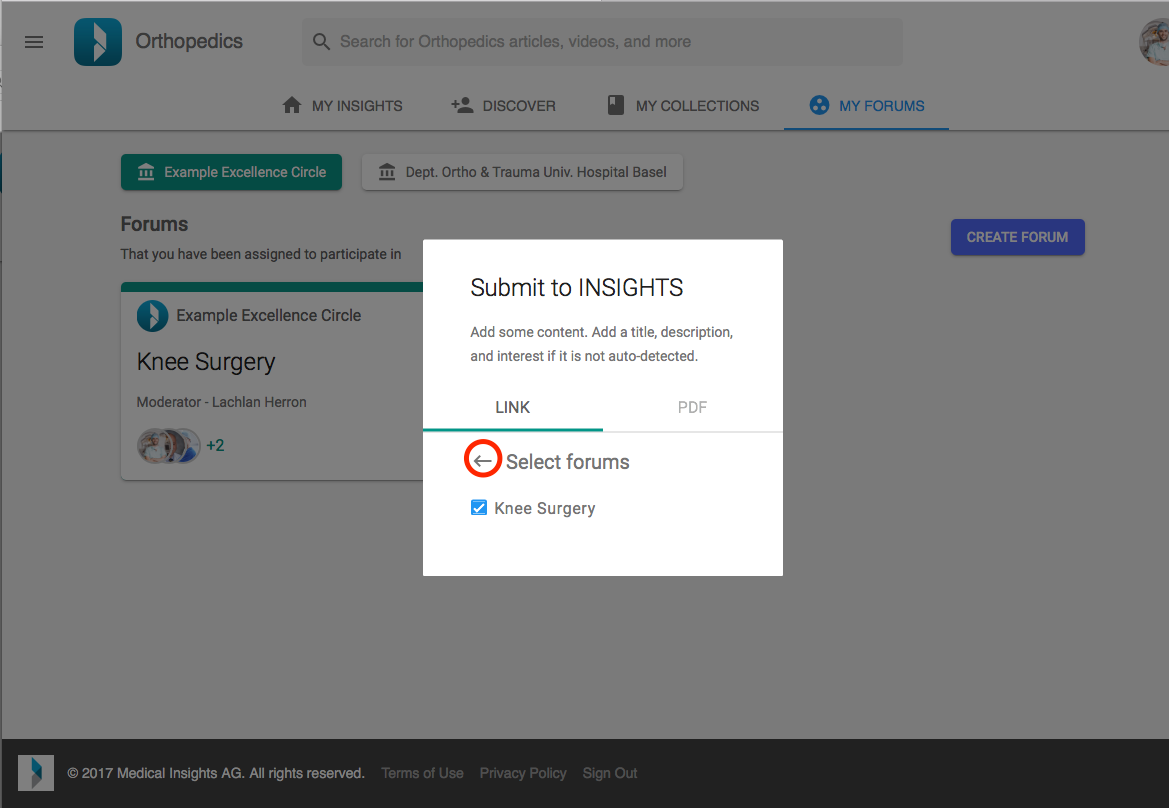
- Select which Forum(s) the content should be added to:
Note: You can select multiple Forums. To deselect a chosen Forum, click it twice. Save the selected Forum by clicking the back arrow
5. Click “Submit”
Within a Forum
1. Log in to the INSIGHTS Specialties
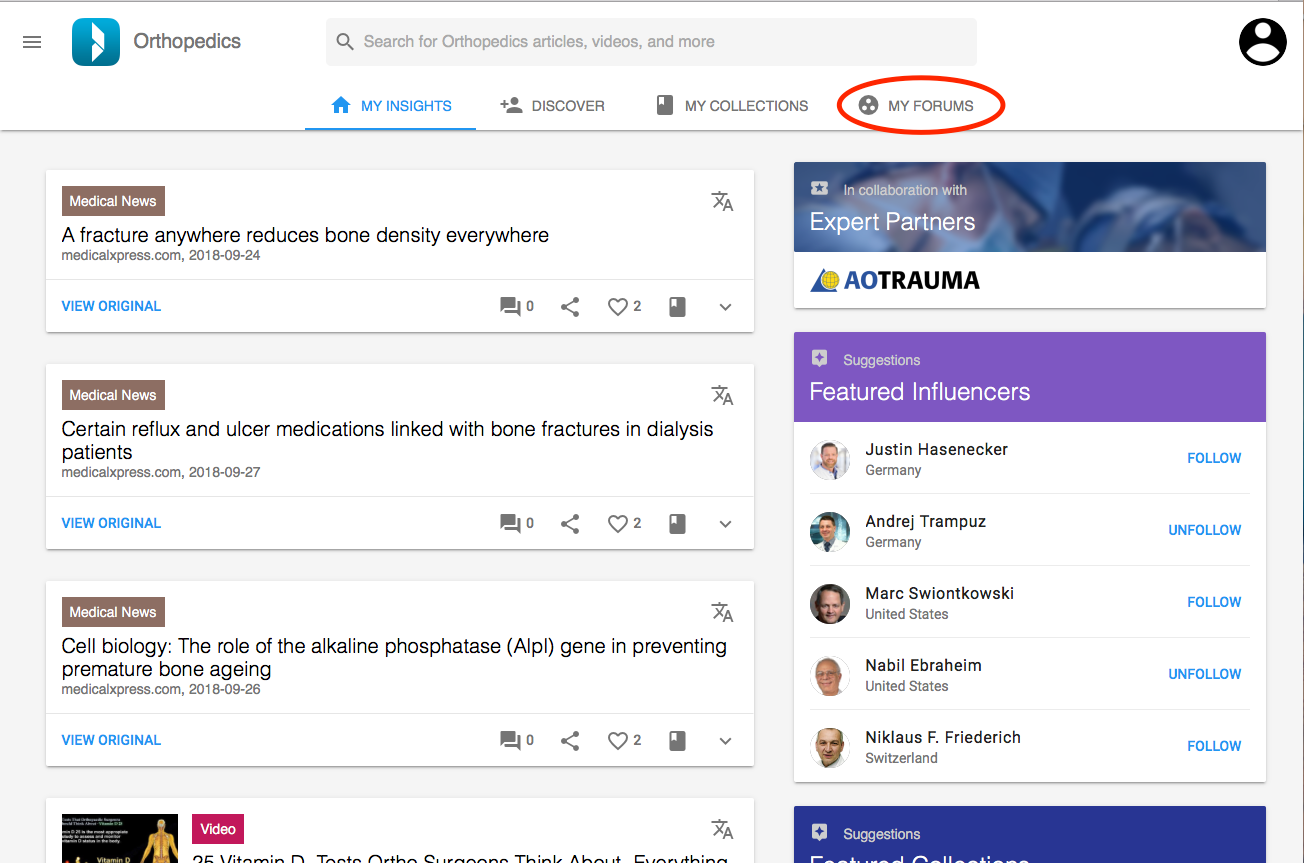
3. Click on the submit icon in the upper right corner
4. Complete the required Information:
- Copy and paste the URL of the content into the URL field
- Enter a title if it is not auto-detected
- Enter a description if it is not auto-detected
- Select the interest(s) that the content relates to:
Note: You can select multiple interests. To deselect a chosen interest, click it twice. Save the selected interests by clicking the back arrow.
You don't have to select to which Forum you want to add the article to it. It will automatically be selected.
5. Click “Submit”