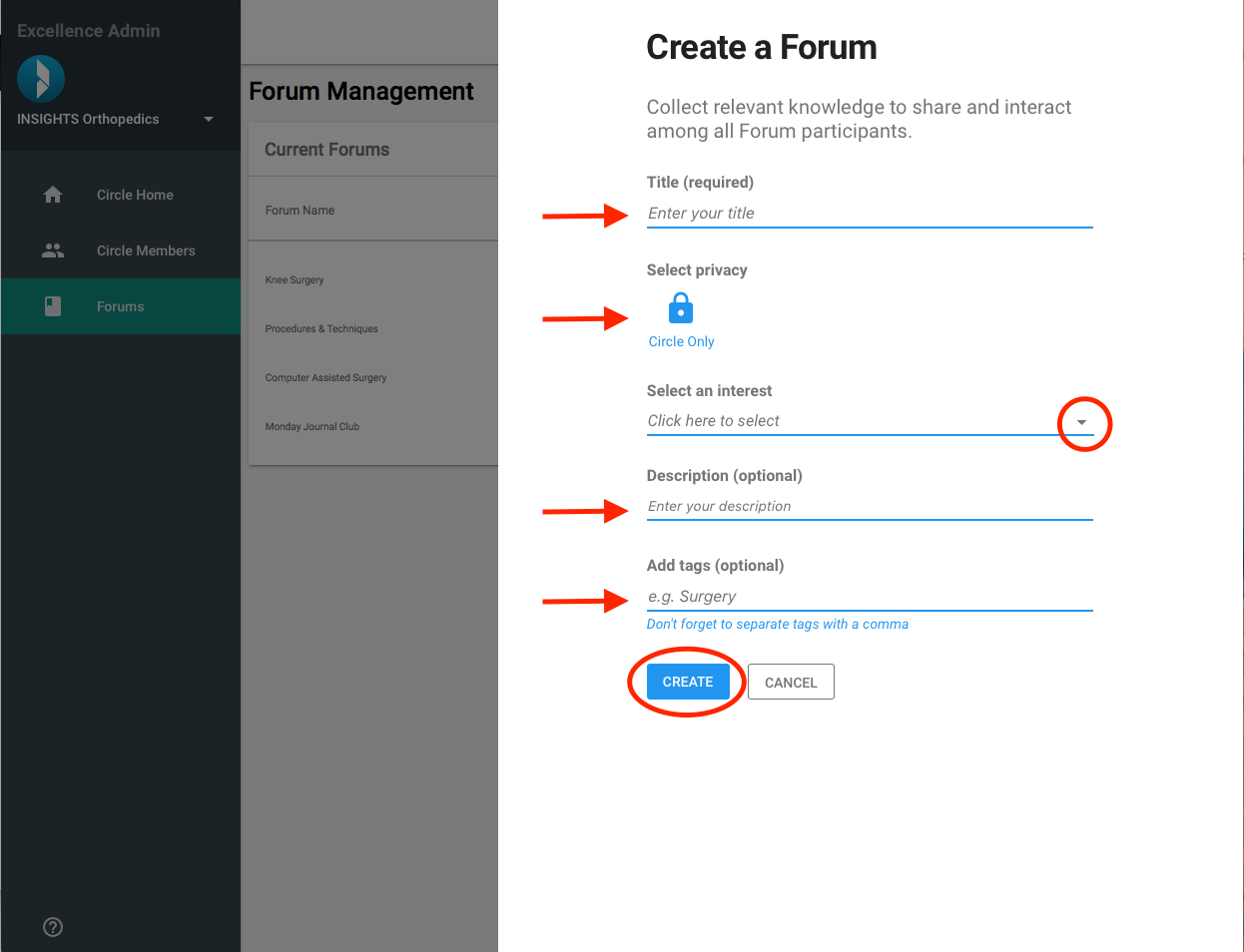
How to Create a Forum on INSIGHTS
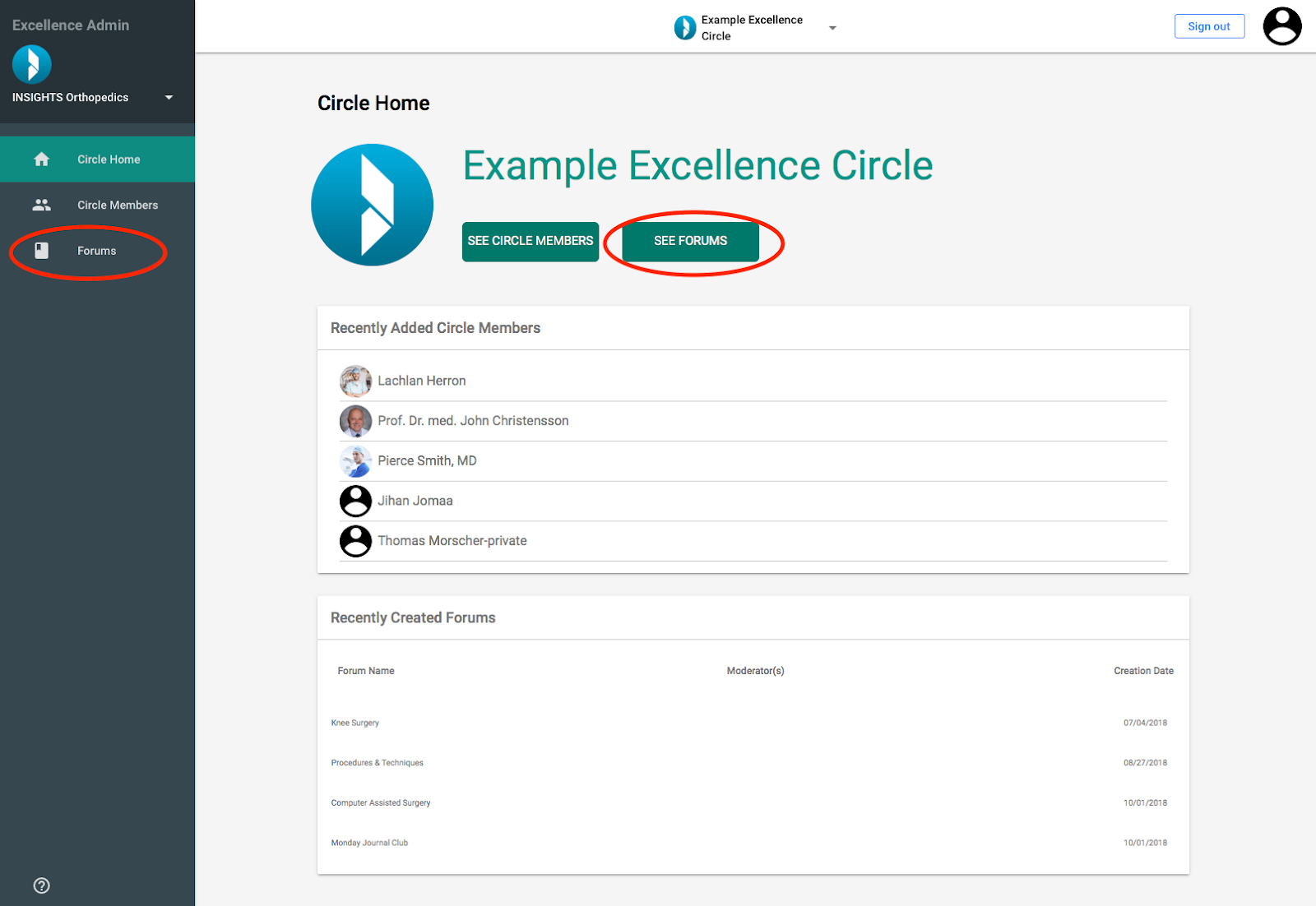
Log in to the INSIGHTS Excellence Console https://console.insights.md/
- Click on the “See Forums” Button or the “Forums” tab in the side bar
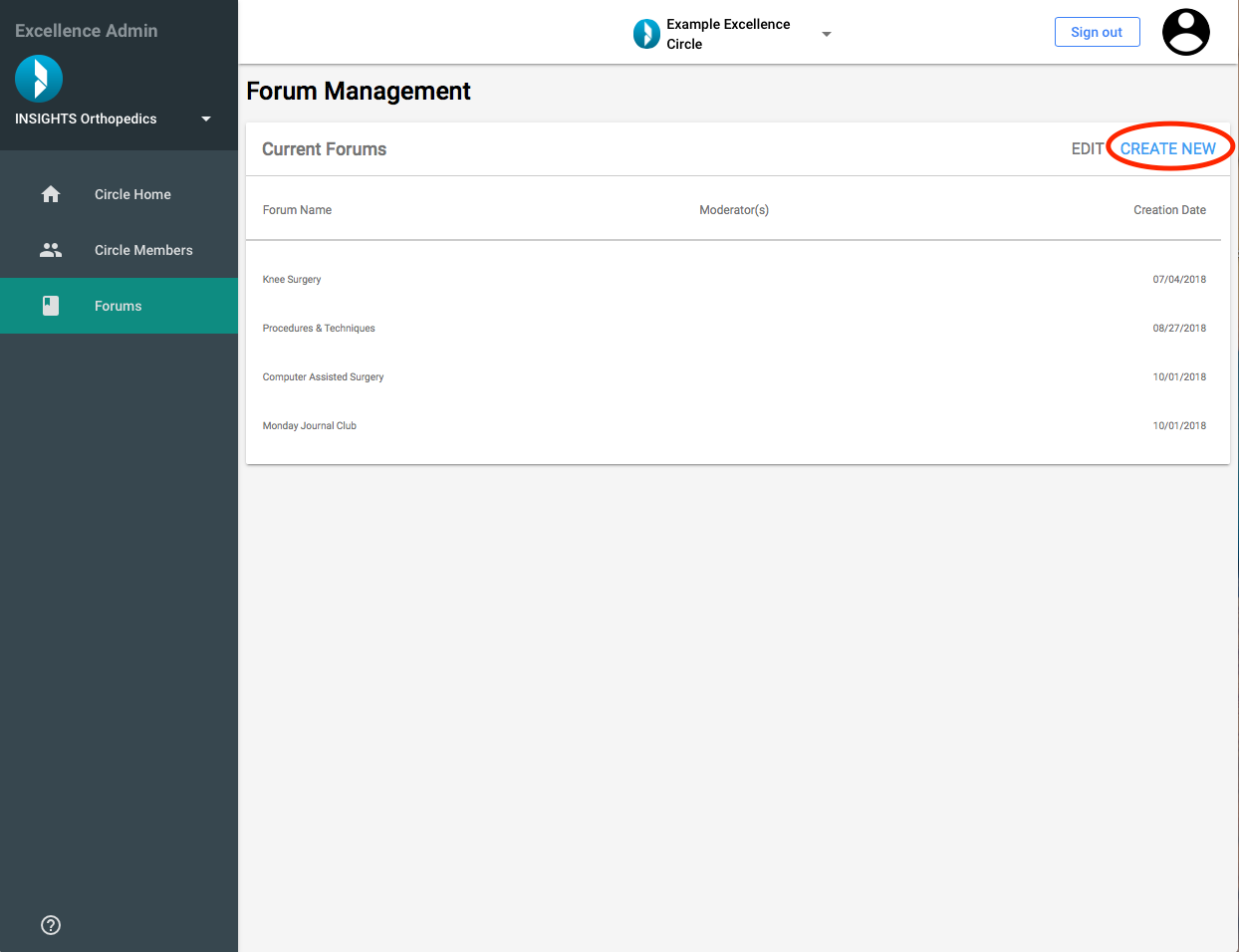
You will be directed to the Page “Forum Management”
- Click “CREATE NEW” on the Current Forums card to trigger the Forum Creation Slider
Fill out the required information:
Give your Forum a title
-
Select interests that the Forum relates to;
You can select multiple interests. To deselect a chosen interest, click it twice. Save the selected interests by clicking outside the drop-down
Enter a description of the Forum (Optional)
Enter tags that relate to the Forum (Optional). Tags must be separated with a comma
- To finish creating your Forum click “Create”