How to Remove a Forum From INSIGHTS
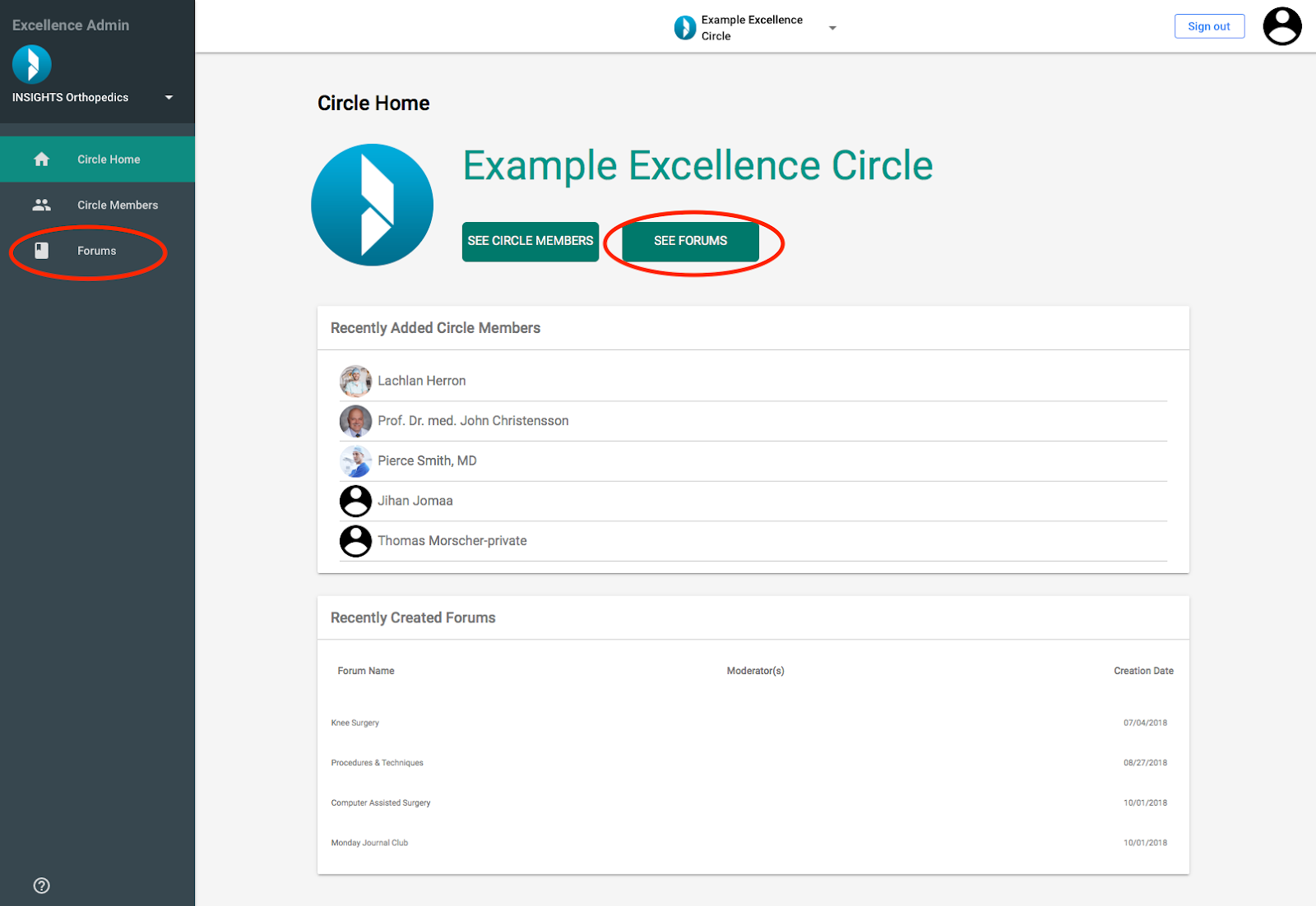
Log in to the INSIGHTS Excellence Console
- Click on the “See Forums” Button or the “Forums” tab in the side bar
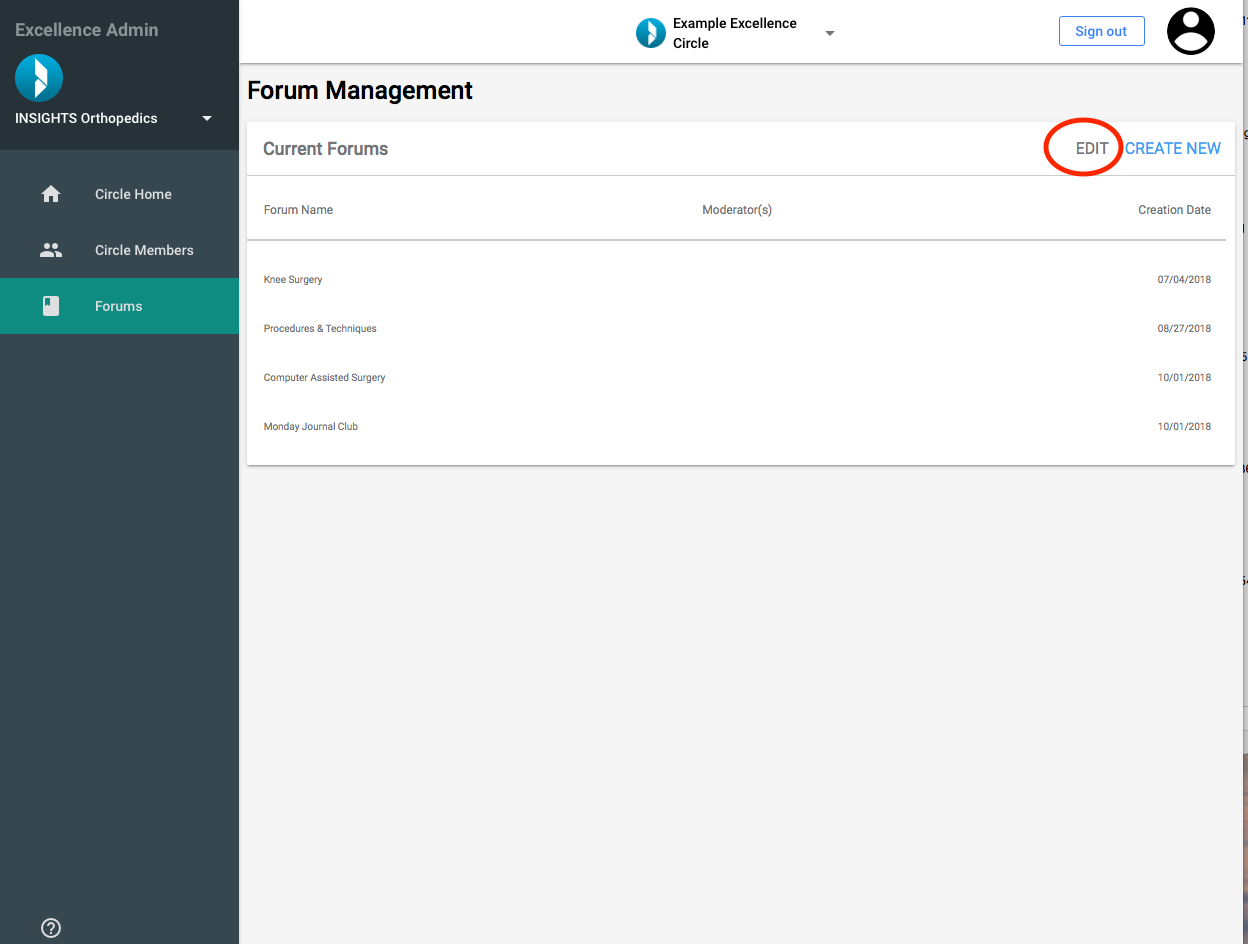
You will be directed to the Page “Forum Management”
- Click “Edit” on the Current Forums card
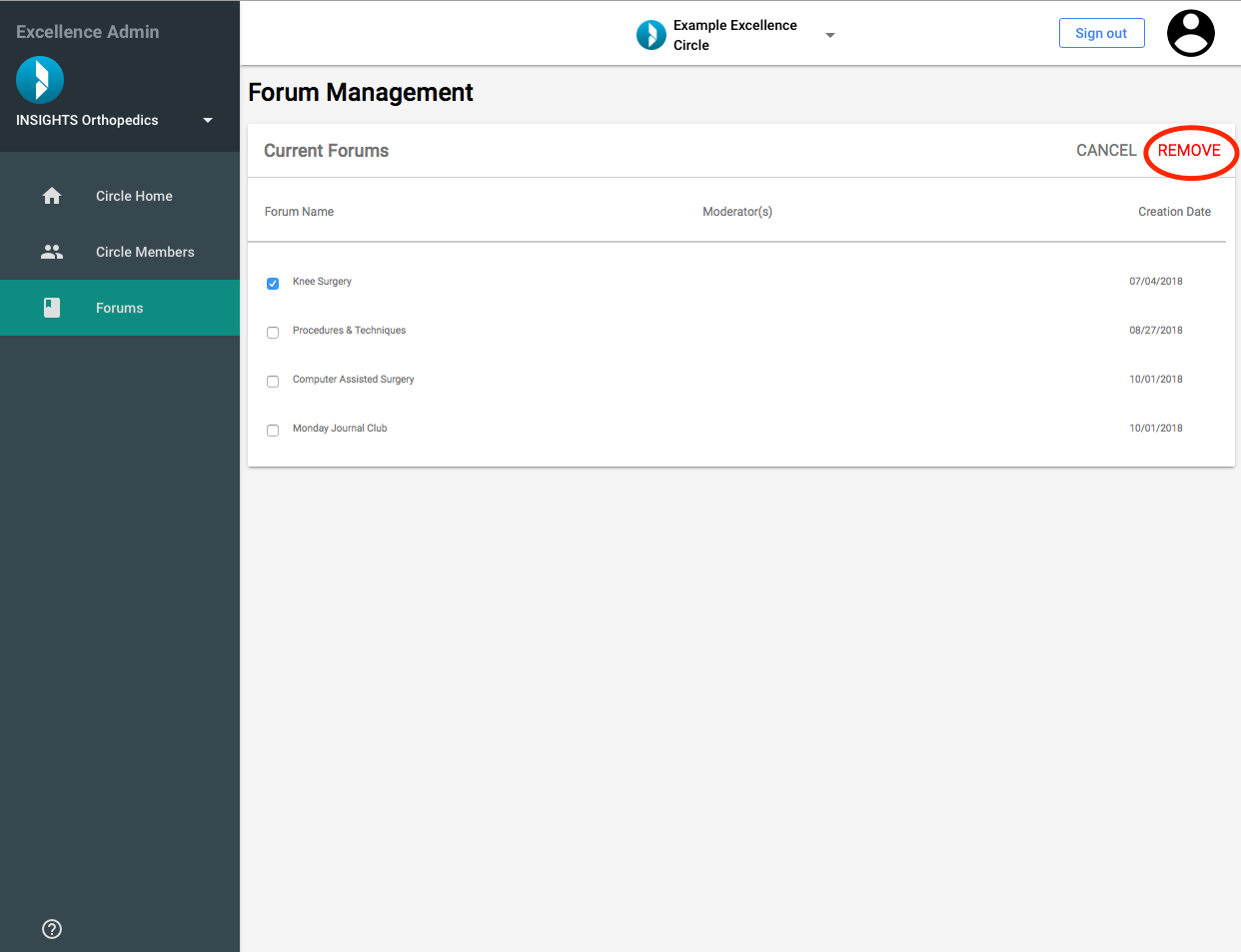
Select the Forum(s) you want to remove by clicking on the check boxes next to the Forum titles
- Click on “REMOVE”
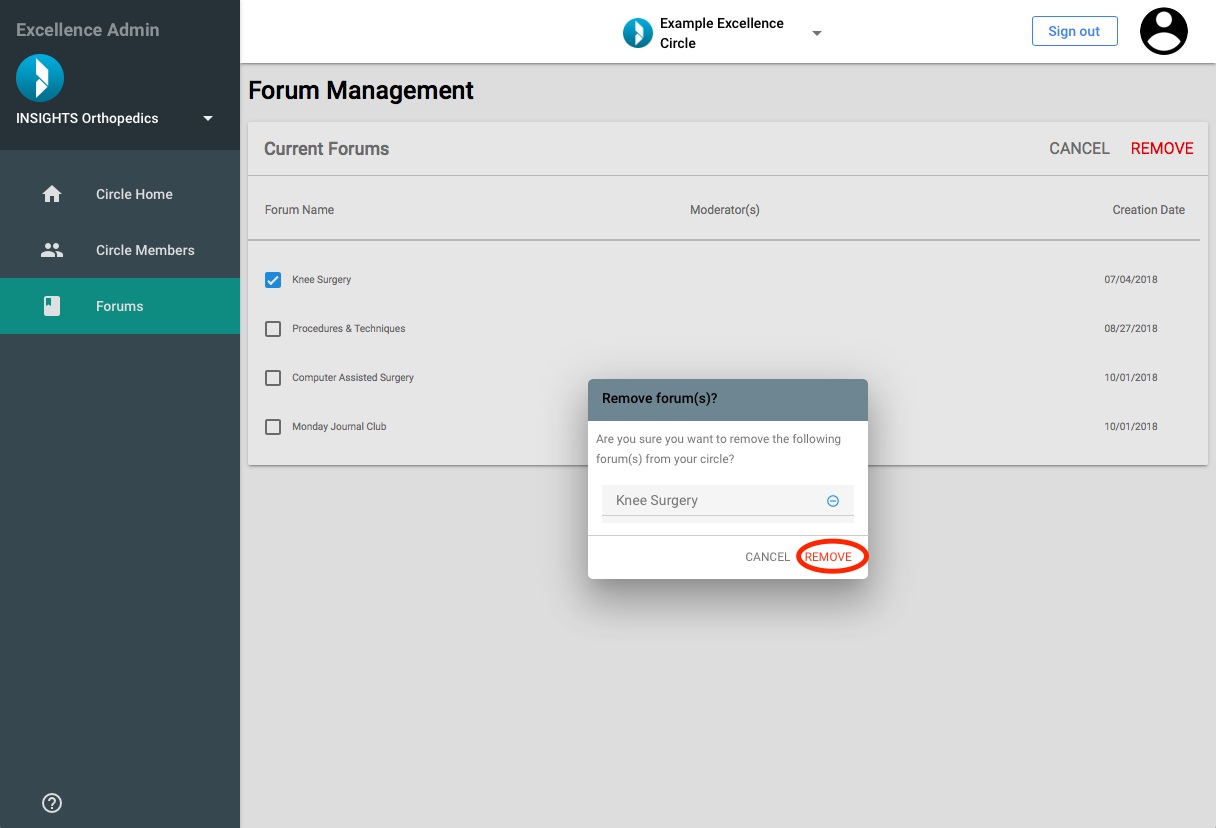
- Confirm the removal of the Forum(s) by accepting the confirmation