How to Edit a Forum on INSIGHTS
Log in to the INSIGHTS Excellence Console
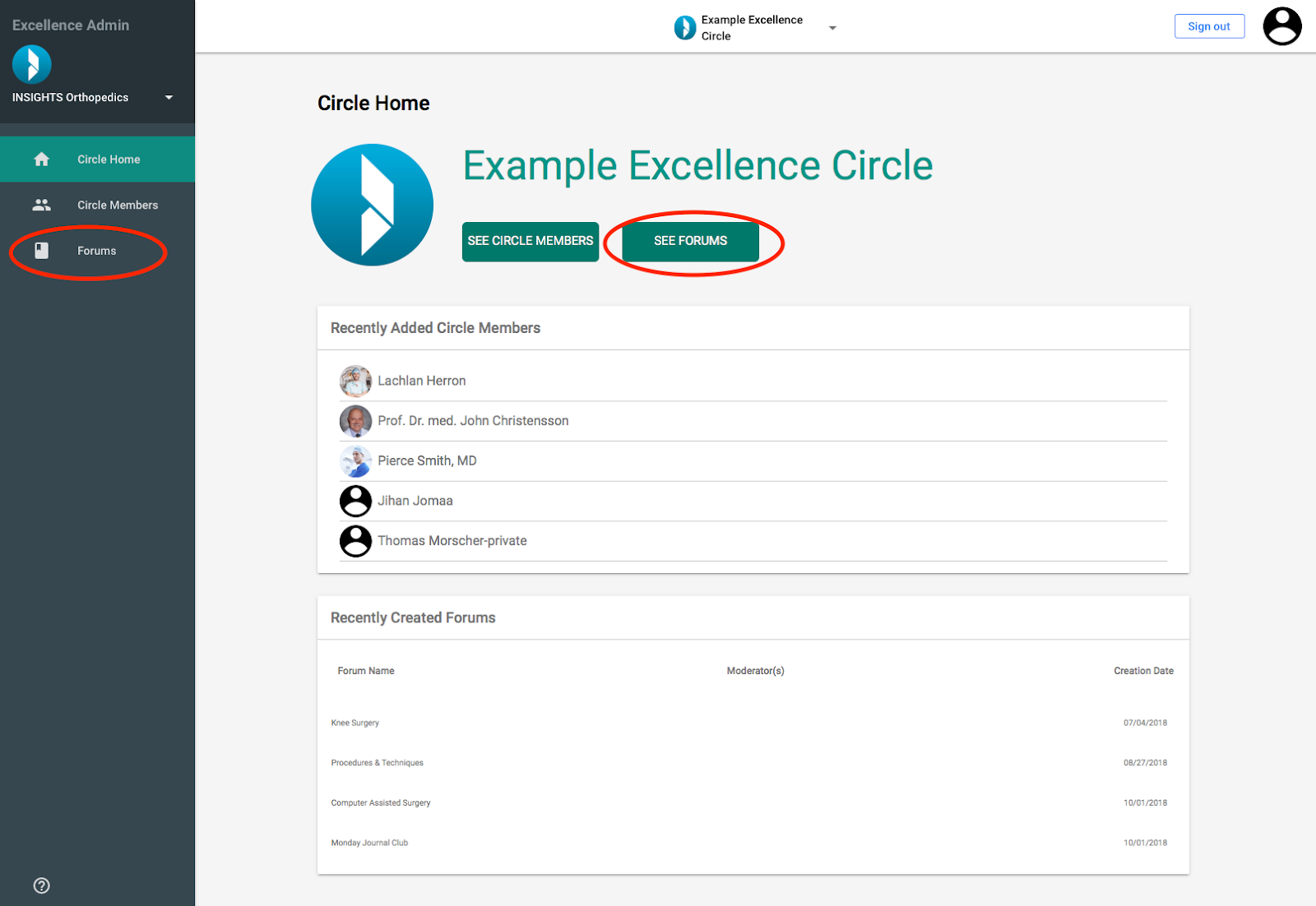
- Click on the “See Forums” Button or the “Forums” tab in the side bar
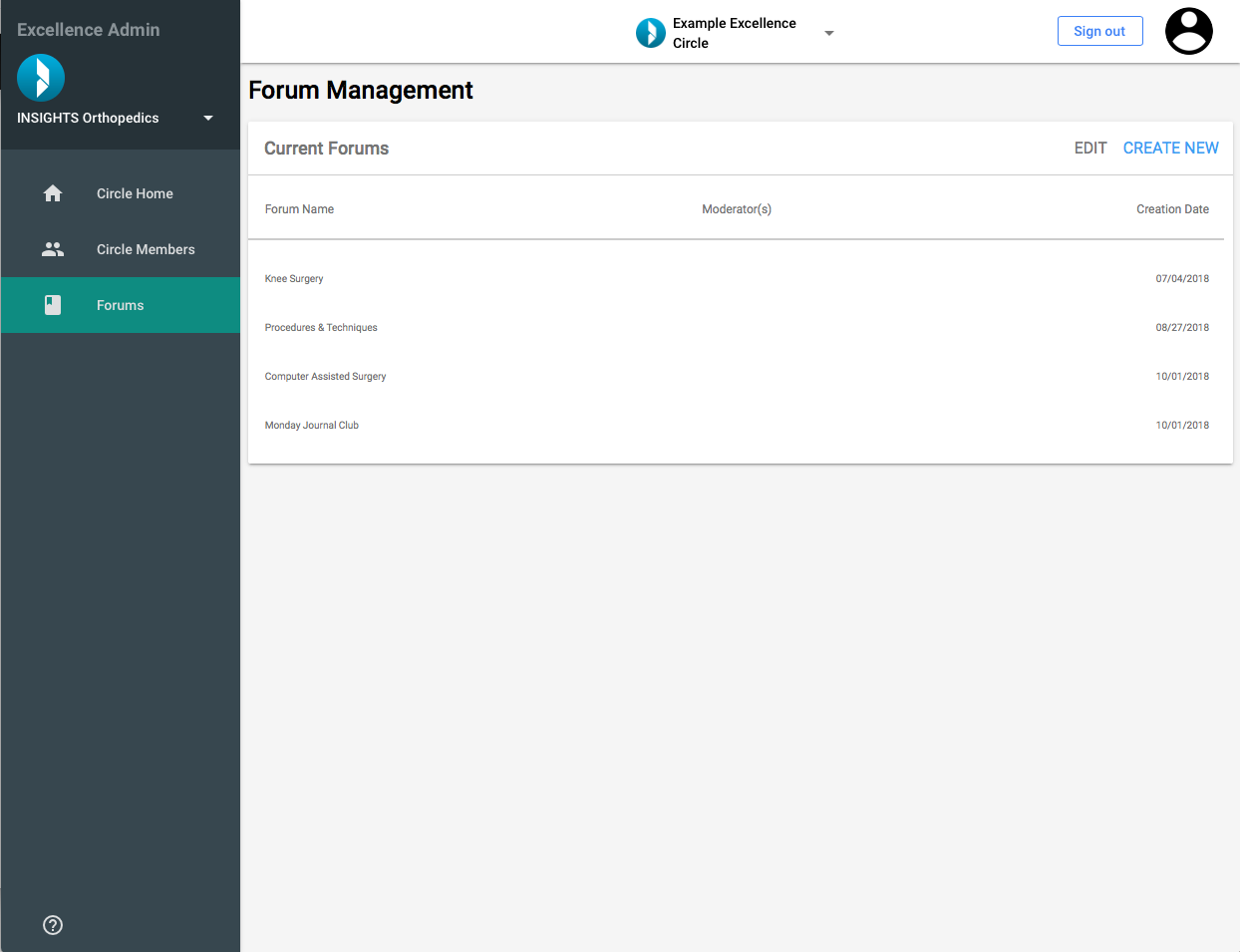
You will be directed to the Page “Forum Management”
- Click on the Forum title that you would like to edit
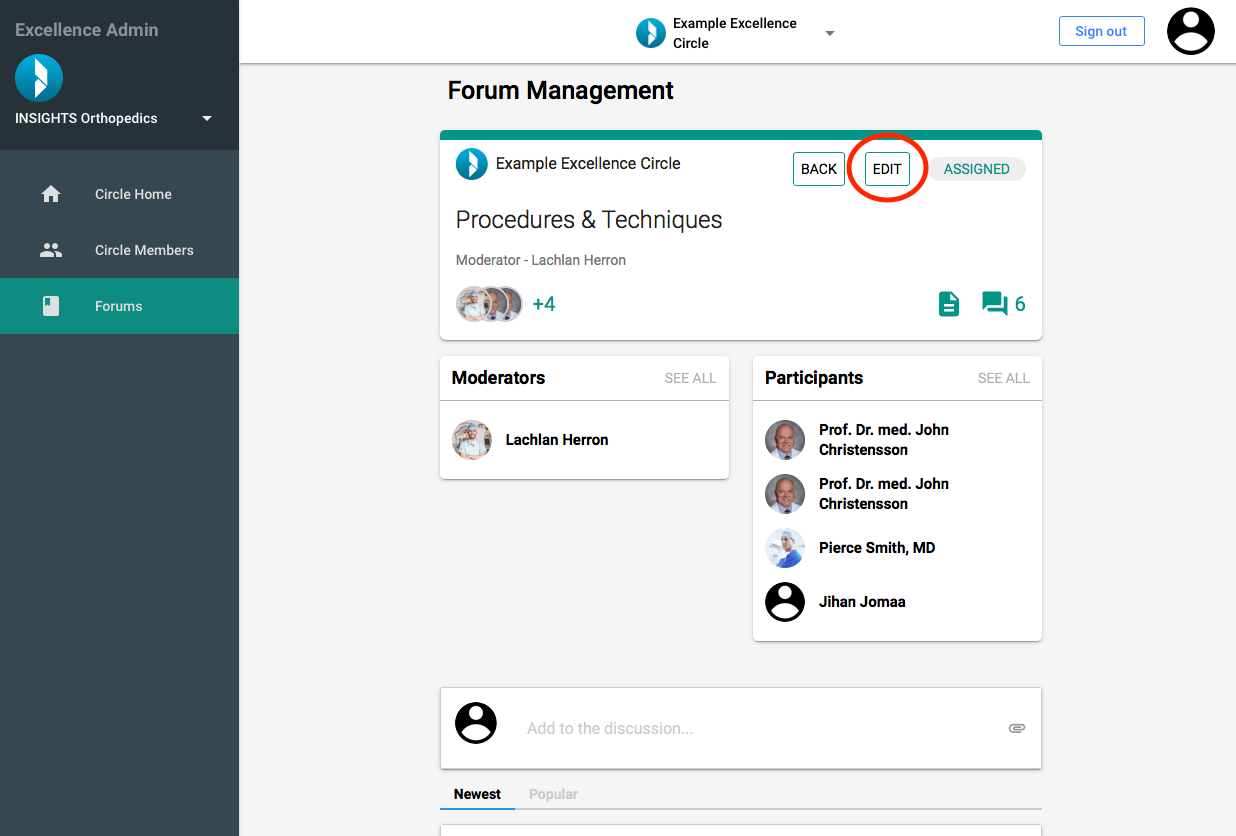
- Click on the “Edit” button to trigger the Edit Forum Slider
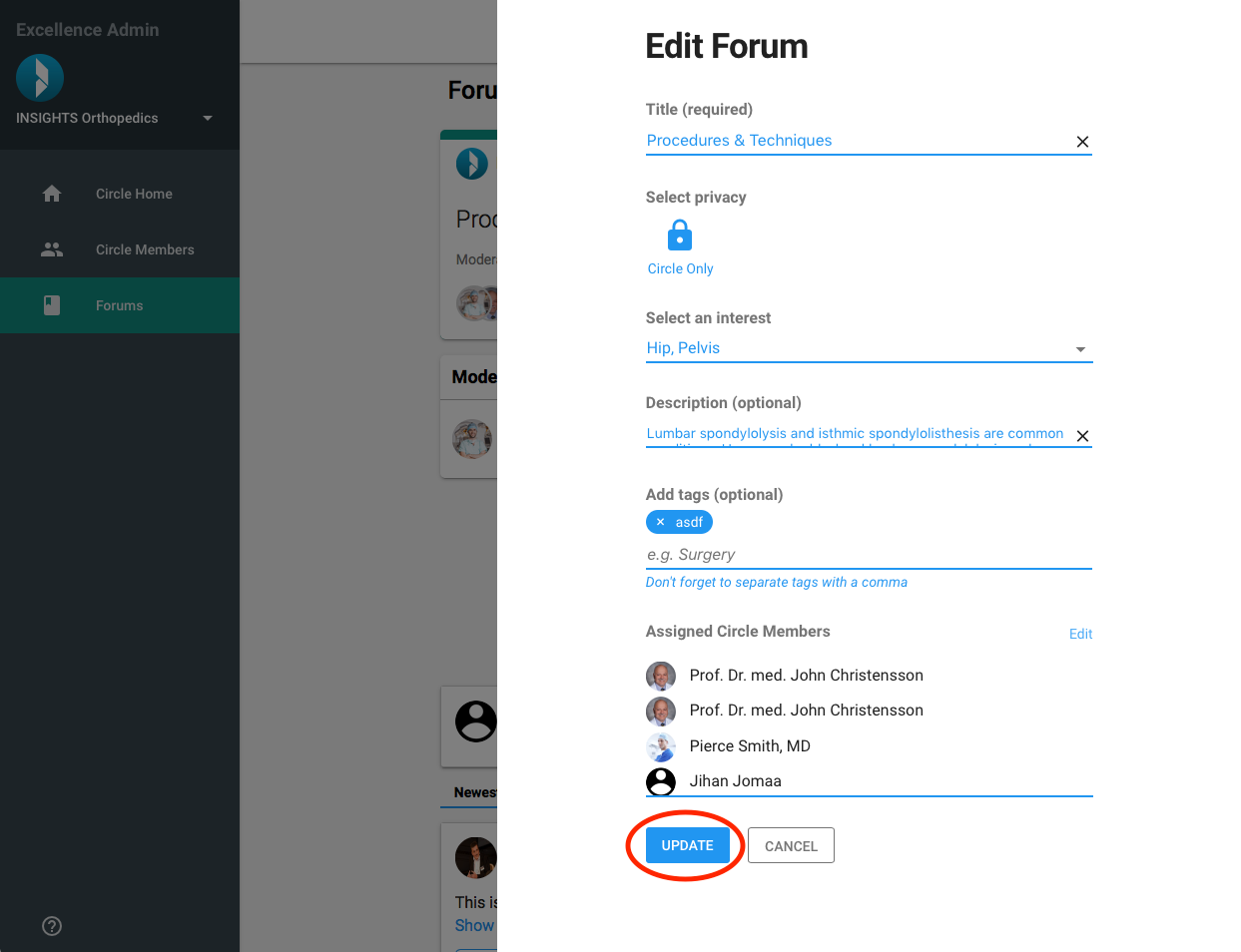
Make your edits to the Forum information
- Click on Update to save your edits