How to Invite Individual Members
Log in to the INSIGHTS Excellence Console https://console.insights.md/
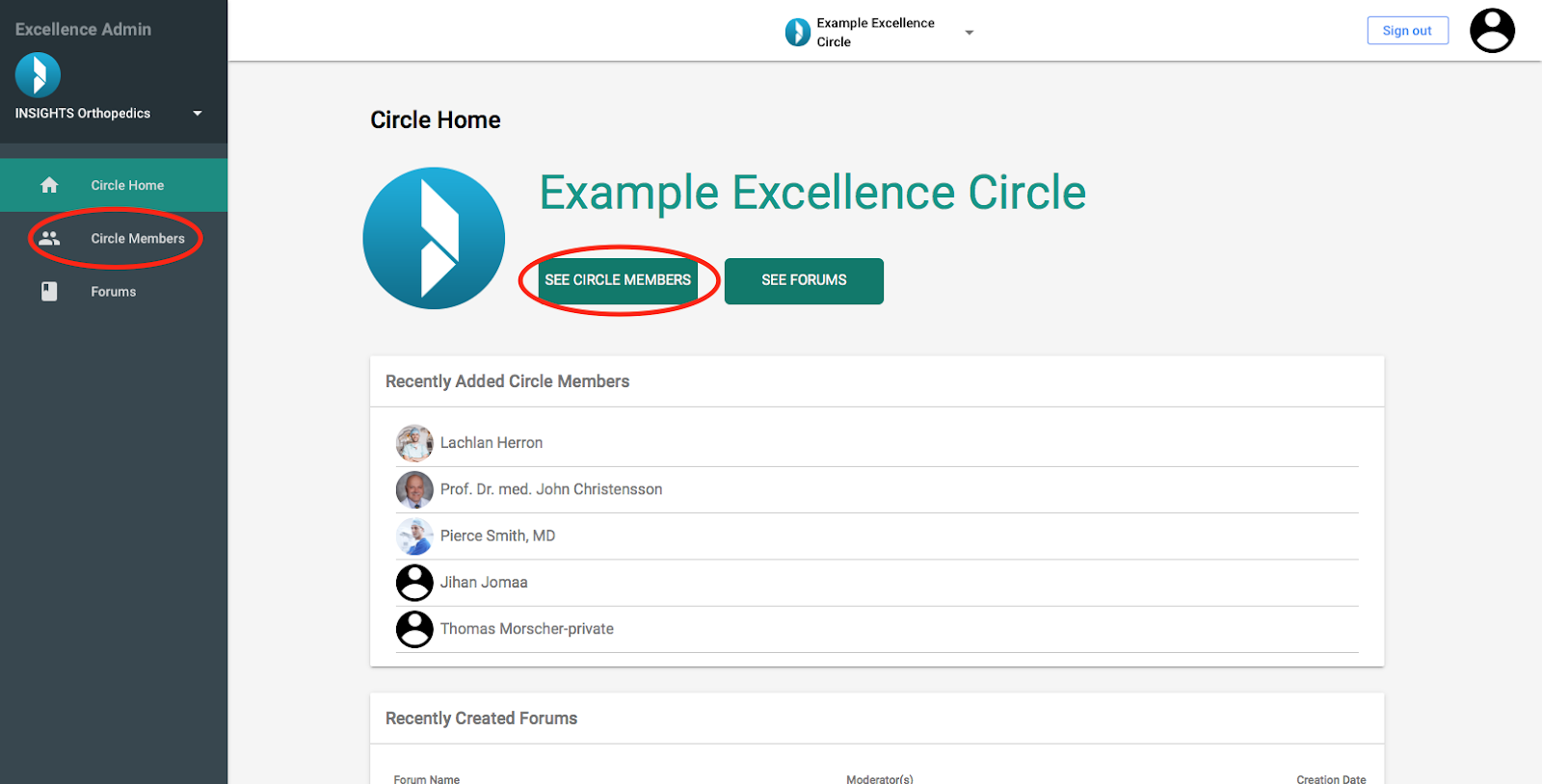
- Click on the “See Circle Members” Button or the “Circle Members” tab in the side bar
You will be directed to the Page “Circle Member Management”
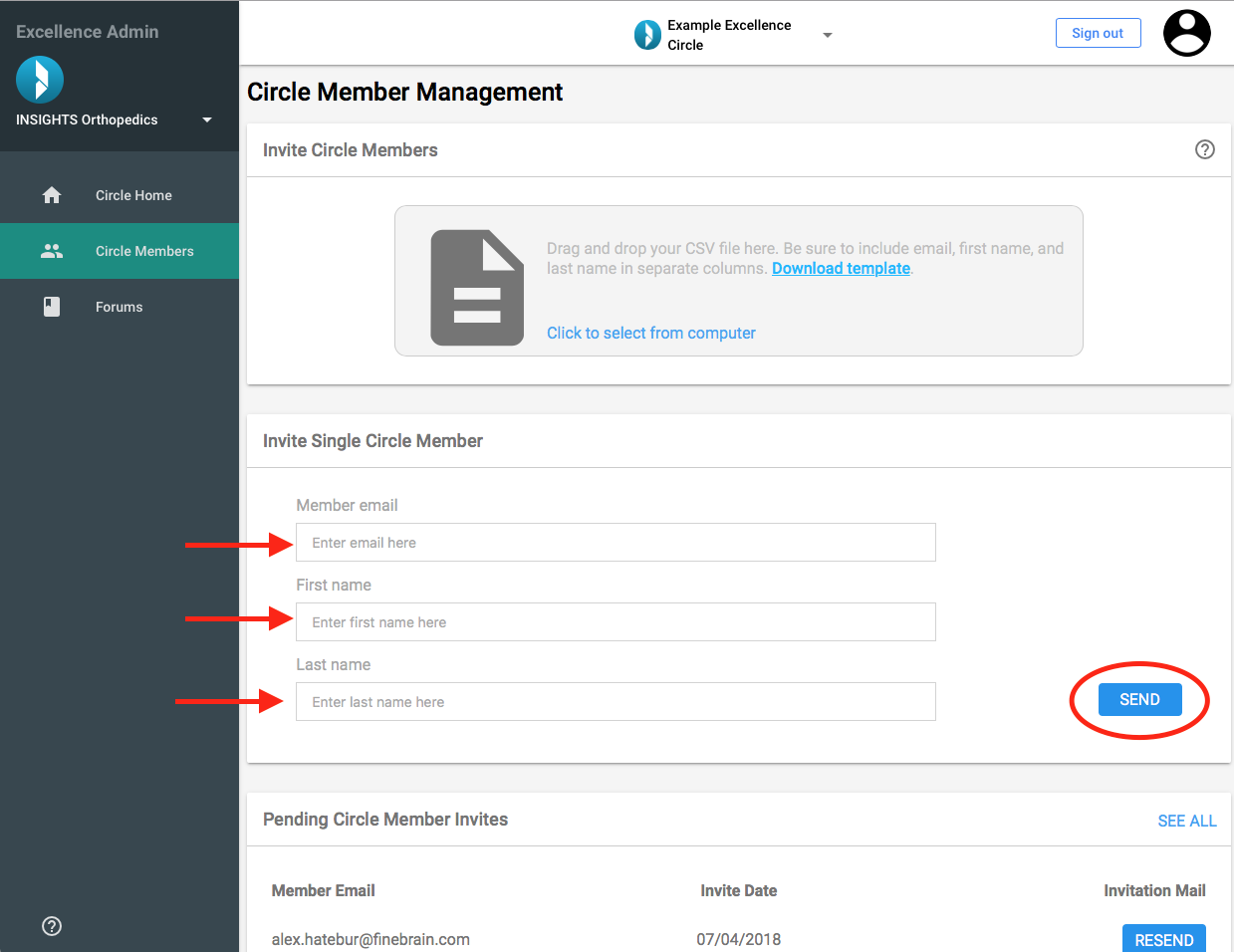
Find the “Invite Single Circle Member” card
Enter the email address of the member
Enter their First Name
Enter their Last Name
- Click “Send” to send the invitation